SensoCAN
SensoCAN is a monitoring platform for connected equipment, and the shortest way to use it is to ask. Type a plain-language question — which devices are offline, what Cold Store 2 averaged last week, which alarms are still open — and the answer comes back from your own live data. Behind it sits the rest of the platform: you register your devices, tell it what each one measures, and it stores the readings, watches them against the limits you set, raises alarms someone has to acknowledge, messages the people who need to know, and puts the whole picture on dashboards your team can read at a glance.
Show me device status summary
Here's the current status summary for your tenant Riverside Foods:
Devices
- Total devices: 3
- Online: 1
- Offline: 2
- In error state: 0
Alerts / Alarms
- Active alerts: 2
- Open alarms: 1 (of these, 0 are unacknowledged)
AI can make mistakes
A real conversation with the assistant; the organisation name has been changed.
Equipment reaches SensoCAN two ways. Your own hardware reports over MQTT or HTTP with credentials the platform issues per device. Supported BLE gateways relay readings from beacons you register to them, so a battery-powered sensor in a freezer or a stock room needs no network of its own.
What the platform does
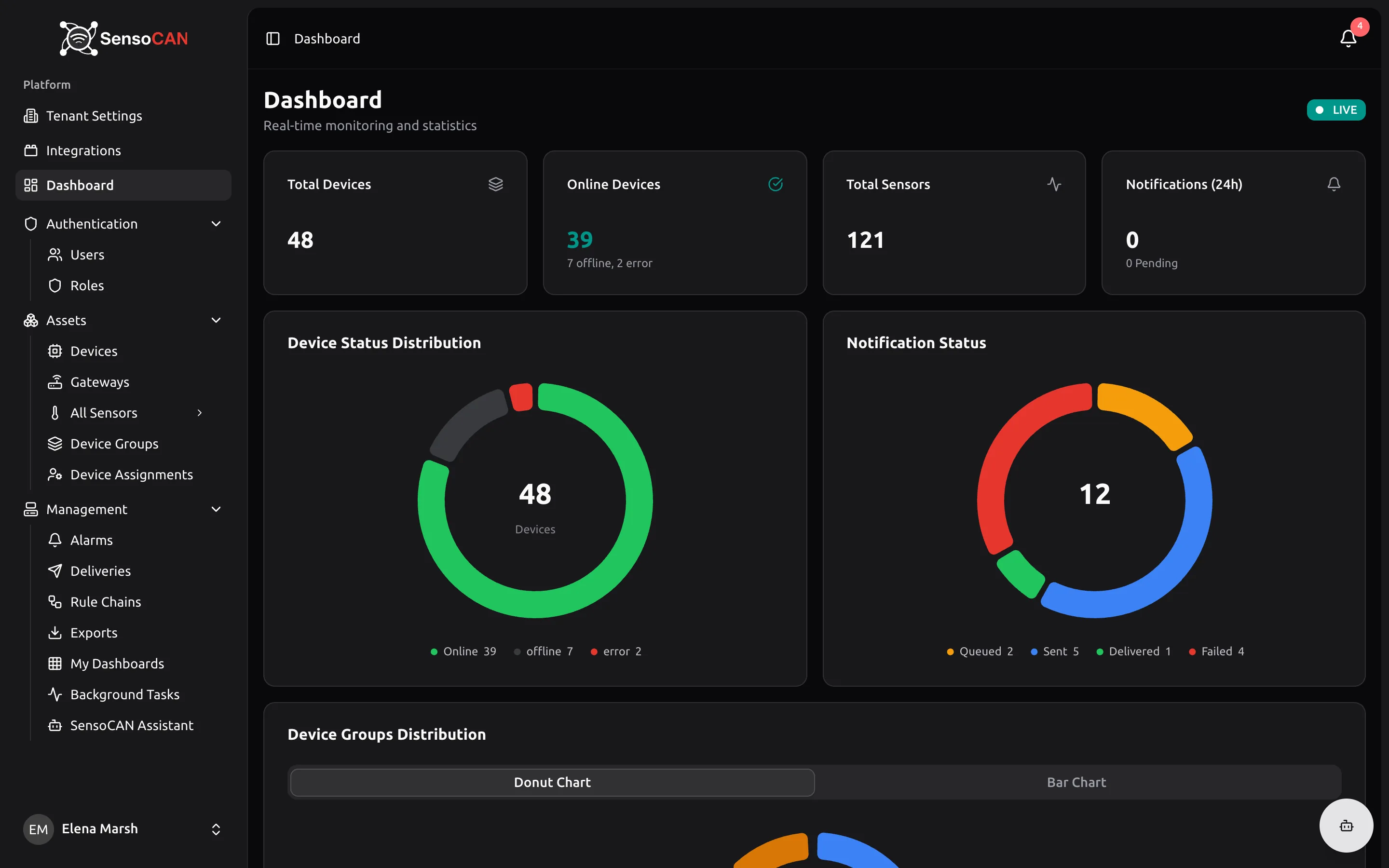
- Answers questions in plain language. Ask which devices are offline, which sensors are in alert, which batteries are low or what a sensor averaged last week, and get the answer from your own data — in the app, in Slack or on WhatsApp.
- Keeps an inventory of what you monitor. Devices, the sensors on them, the groups they belong to, and which people on your team can see each one.
- Shows readings live and over time. A current value that updates while you watch, charts covering the last half hour or the last month, and hourly or daily averages.
- Automates the response. Rule chains are visual workflows that every reading passes through. They decide what gets stored, what counts as a problem, and who hears about it.
- Tracks problems until someone owns them. An alarm stays open until the condition has cleared and a person has acknowledged it, and one acknowledgement counts for everyone in the organisation.
- Sends the message and shows what happened to it. Email, SMS and WhatsApp go to the recipients configured on each device, and the Deliveries log records every message and whether it arrived.
- Builds the views you want. Custom dashboards with charts, gauges, value cards, status grids and alarm tables — publishable to a read-only link for a wall display.
Who it is for
Teams responsible for equipment they cannot stand next to: cold chain and food safety, laboratories and pharmacies, building and facility management, utilities and light industry, and the integrators who install and support these systems for other people. If you run several sites, device groups and per-user device visibility keep them apart inside one organisation. If you work across several client organisations, consultant access lets you switch between them without leaving the platform.
Start here
Ask SensoCAN — the assistant: where to reach it, what it can look up, and what to ask.
Getting started — create your account, connect your first device, ask it a question, and invite the people who will use it with you. Begin here if SensoCAN is new to you; the four chapters take about half an hour.
User manual — the day-to-day reference. Devices and sensors, gateways and beacons, device groups, rule chains, alarms, deliveries, dashboards, exports and the mobile app.
Administration — running the organisation. Users and invitations, the built-in roles and the full permission table, organisation settings, integrations such as Slack, and consultant access.
Connect your devices — the technical contract your firmware speaks. Which values to collect from Device Details, the payload rules both protocols share, and full references for MQTT and the HTTP API.
If you support other people's SensoCAN accounts, the consultant guide covers switching between organisations and what a consultant can see and change.