What people use it for
Five situations, the modules you would set up for each, and what the team ends up with. Every one is built from features described elsewhere in this documentation.
Cold chain and stored goods
The situation. A dozen fridges, freezers and a walk-in cold room across two kitchens. Temperature has to stay in range, someone has to be told quickly when it does not, and an inspector will eventually ask for the record.
What you set up. A gateway in each kitchen, with temperature and humidity beacons registered to it — one CSV import creates every beacon and its sensors in one go. On the cold room door, a device with a door sensor of its own. Each sensor's profile gets its minimum and maximum thresholds. A rule chain uses a Consecutive Threshold Filter so a single stray reading does not wake anyone: three breaches in a row raise a first alert, five escalate, eight escalate again. The Severity 1 output goes to a Raise Alarm node and an email to the shift lead; higher severities reach the SMS recipients labelled Severity L2 and L3 on the device. A Rate Limit node keeps a long breach from becoming a hundred messages.
What the team gets. A live temperature per unit, an open/closed timeline for the door, alarms that stay open until a person acknowledges them, and an Excel or PDF export of any date range for the audit file.
Several sites, one platform
The situation. Twelve buildings, one operations lead who needs the whole picture, and a facilities manager per site who should not be wading through other people's equipment.
What you set up. Device groups mirroring the estate — region, site, building — with devices attached to the leaf groups. Each site manager is invited as a Manager and assigned only their site's devices; from that moment their device lists, sensor lists, groups and alarms narrow to their own equipment automatically. The operations lead needs to be the organisation owner, or have every device assigned to them, to see everything — the Admin role on its own does not widen visibility. One custom dashboard serves both: its widgets read from a device group binding, and a drill-down state opens a single device when someone clicks a tile.
What the team gets. No parallel accounts and no duplicated dashboards. Bulk edit pushes an offline cutoff or a threshold across many devices in one action, and each group page carries a combined chart of the devices inside it.
A consultant looking after several clients
The situation. An installer supports SensoCAN for eight customers and needs to check thresholds, re-commission a gateway and adjust a sensor profile without holding an administrator account in each organisation.
What you set up. A consultant sign-in, assigned to the organisations that have agreed to it. Signing in lands on a Select Tenant page; picking one scopes everything that follows to that organisation, and the current one stays visible and switchable from the header.
What the team gets. The consultant sees that organisation's devices, gateways, sensors and device groups, edits devices, sensors and sensor profiles, sets a device status and issues gateway commands — and never sees your alarms, rule chains, exports, users or settings. See Consultant access.
Knowing when something stops reporting
The situation. Remote equipment on flaky links. Silence is the failure mode that matters most, and the one nobody notices until a report comes out empty.
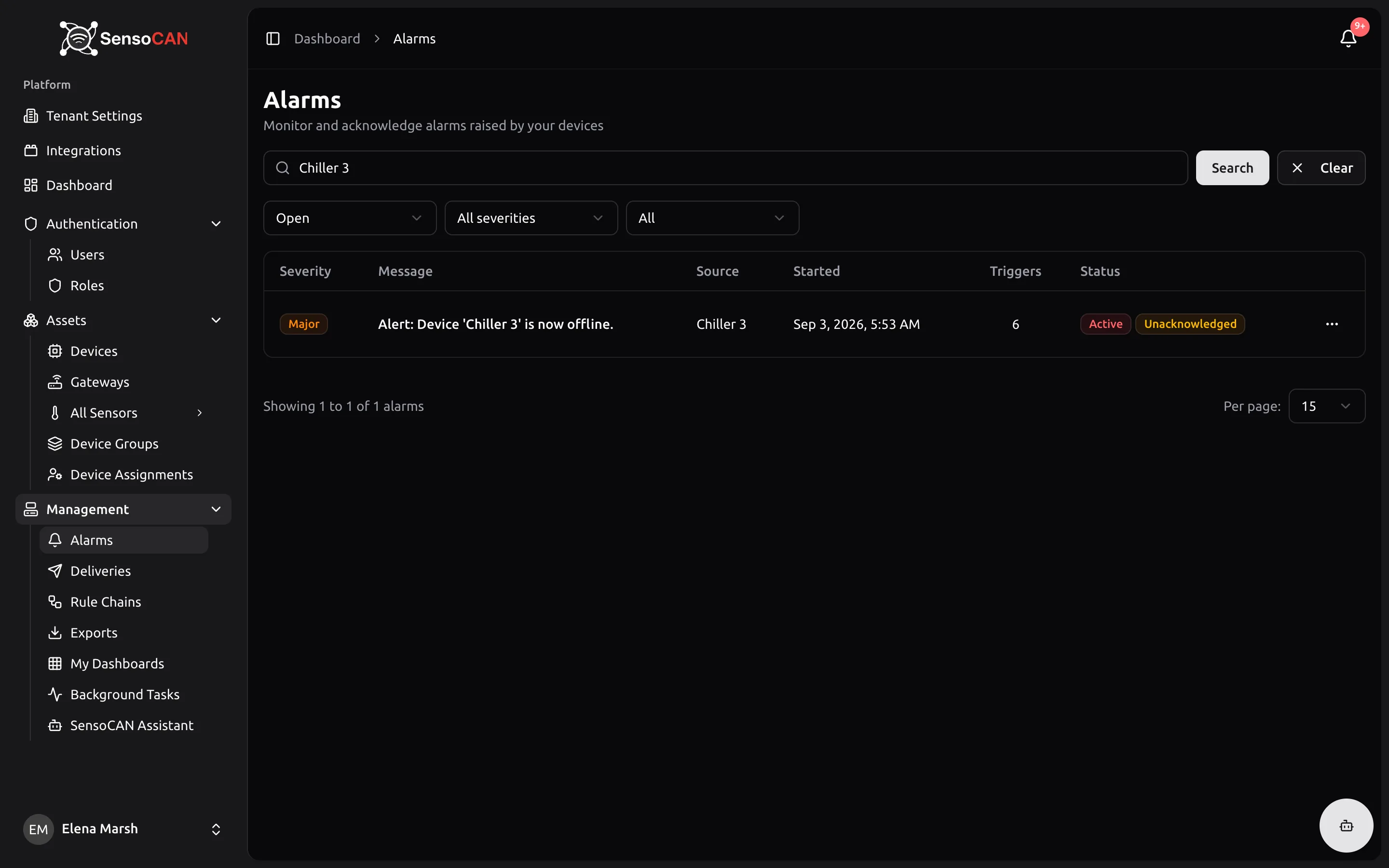
What you set up. An Offline Cutoff Time on each device, tuned to how often it actually reports. Status Change Notifications switched on, with the right people in the device's email and SMS recipients. Offline Alarm switched on as well, so an outage is not just a message that scrolls past but an alarm somebody has to own. For beacons behind a gateway, each one carries its own offline cutoff and offline-alerts switch, and those alerts go to the gateway's recipients.
What the team gets. SensoCAN marks a device offline once it has been silent longer than its cutoff and messages the recipients on the spot. The alarm clears by itself when the device comes back, but stays open until acknowledged, so a night-time dropout is still on the morning list. Deliveries shows who was told and whether the message arrived.
Battery fleet health
The situation. Two hundred battery-powered sensors. Replacing them on a schedule wastes batteries; replacing them when they die loses data.
What you set up. Each device set to Battery power with its battery type selected, so the voltage the device reports becomes a level percentage on its page. Each beacon carries a low-battery threshold and raises an alert once it drops below it, delivered to the recipients on its gateway.
What the team gets. A replacement round planned from evidence. Ask the assistant which devices are low on battery and it answers in a sentence — in the web app or in Slack — so a field engineer can pick up a list before leaving the depot.